
Less mouse. More music.
Search a device, command, or saved chain. Press Enter. Back to the music.
Mid-session, you need a reverb.
You drop out of flow. Drag to the browser, click into Audio Effects, scroll, drag it back to the track. Whatever idea you had is already thinner. Volta is the keyboard layer Ableton never had. Cmd+Shift+K on Mac, Ctrl+Shift+K on Windows. Type reverb. Enter. Your idea is still there.
What it does
Everything you reach for, one palette away.
Load what you need.
Search Ableton devices, Max for Live devices, third-party plug-ins, and saved User Library items from one palette.
Control the session.
Mute, solo, rename, set tempo, and create tracks. Run all of it from the keyboard.
Build repeatable moves.
Chain devices and actions into one move. Run the whole setup in a single keystroke.
Keep your best moves close.
Save devices, commands, samples, or chains as favorites. Find them later from the palette or assign a hotkey.
What you can do
One palette. Load, run, chain, save.
Load devices
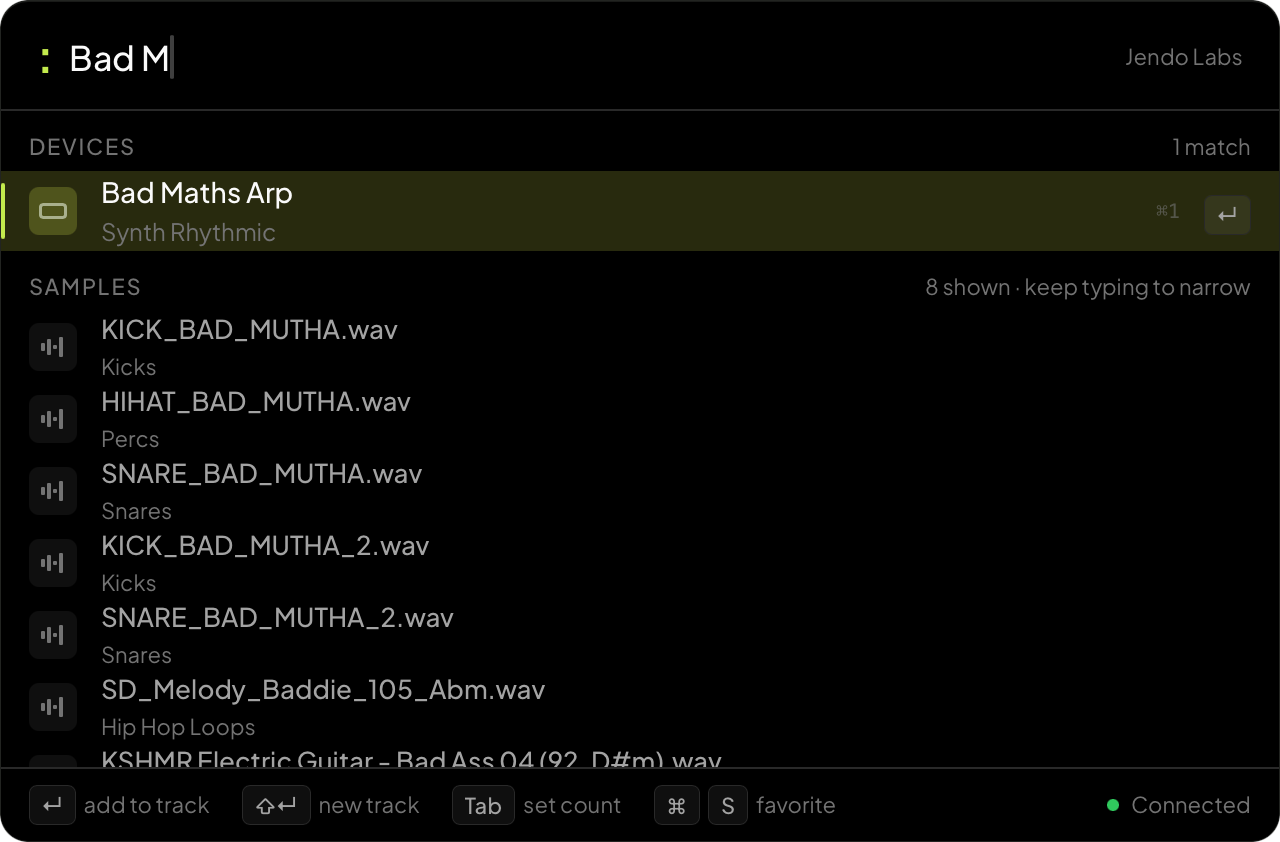
Find any device or plug-in.
Search Ableton devices, Max for Live devices, third-party plug-ins, and saved User Library items without opening the browser.
Run actions
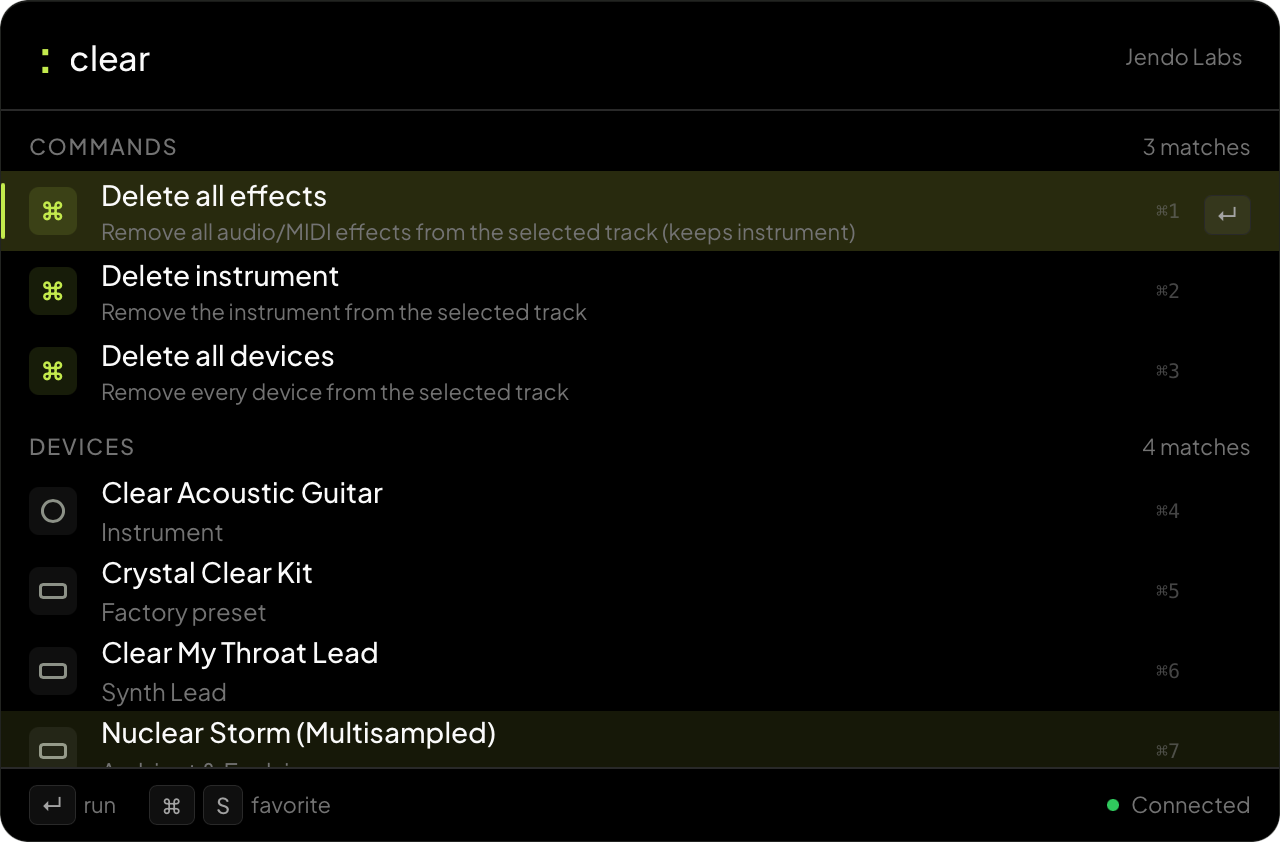
Skip the menus.
Target a track by name, clean up clips, or jump around the session. All from typed commands.
Build chains
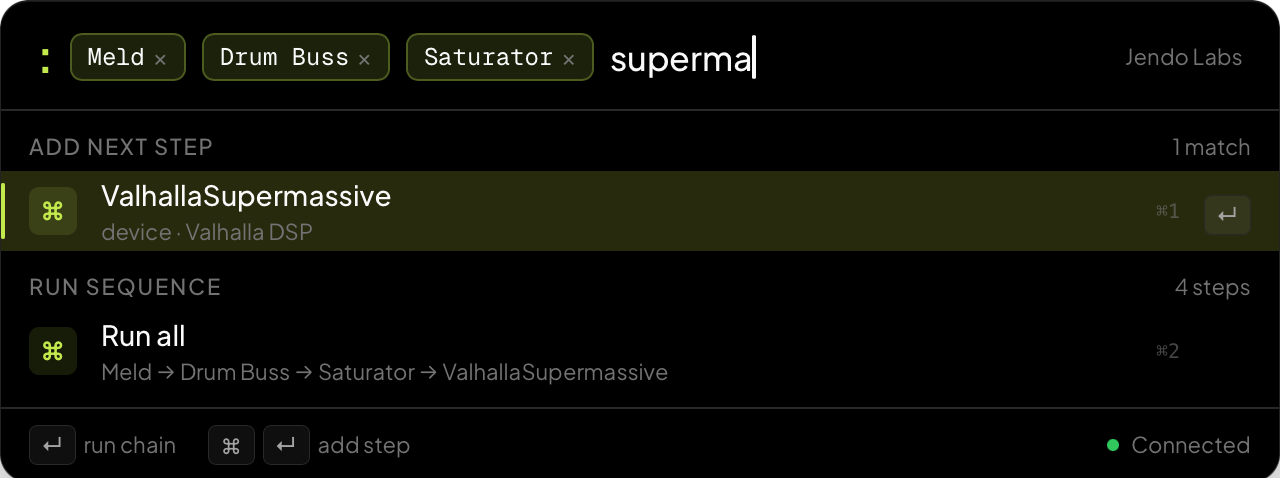
Chain steps into repeatable moves.
Chain devices and actions into one move. Use semicolons when you know the sequence, or add steps with Cmd/Ctrl+Enter as you build.
Save favorites
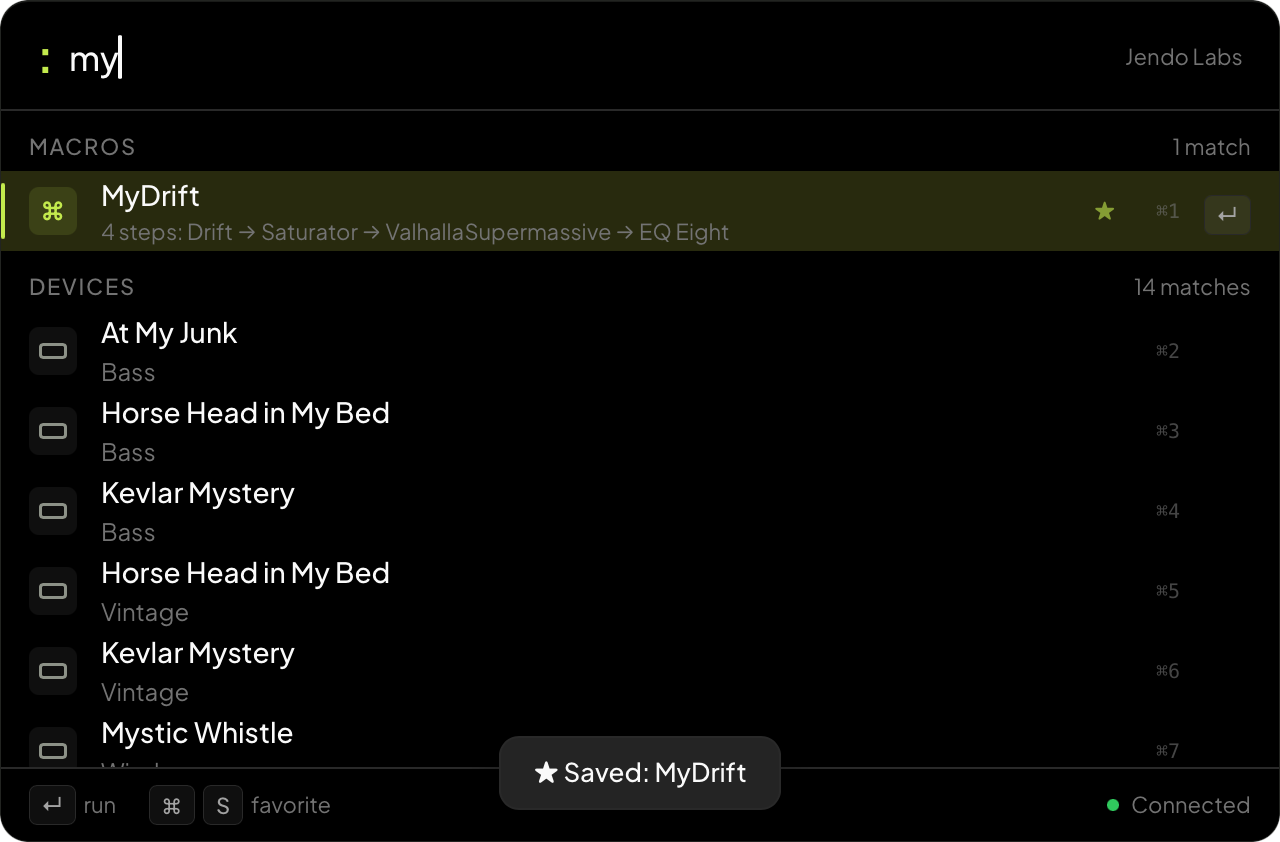
Save anything for later.
Press Cmd/Ctrl+S on any device, command, sample, or chain to save it. Find it from the palette or trigger it with a hotkey.
Pricing
Buy once. Own it forever.
Regular pricing. Lifetime license, no subscription.
Included
- Mac and Windows
- Ableton Live 11 and 12
- 1 year of updates included
- 30-day money-back guarantee
- No subscription, no seat fees
Questions